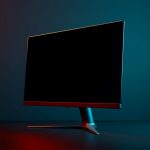
Best Gaming Monitors with OLED Panels (2026): The Ultimate Guide
Discover the 5 best OLED gaming monitors of 2026. From budget 1440p to 4K and ultrawide, find the perfect OLED display for your setup on Amazon UK.

LG UltraGear 27GS93QE
27" · 1440p QHD · 240Hz
The shortlist
Product links are affiliate links. We may earn a commission at no extra cost to you — it never affects which product wins.
Compare all
| # | Product | Size | Resolution | Refresh Rate | Panel | Best For | Where to buy |
|---|---|---|---|---|---|---|---|
| 01 | LG UltraGear 27GS93QE | 27" | 1440p QHD | 240Hz | OLED | Best Value OLED | Price — LG UltraGear 27GS93QE |
| 02 | LG UltraGear GX7 27GX790A | 27" | 1440p QHD | 480Hz | WOLED | Best for Competitive Gaming | Price — LG UltraGear GX7 27GX790A |
| 03 | MSI MAG 273QP QD-OLED X24 | 26.5" | 1440p QHD | 240Hz | QD-OLED | Best QD-OLED Colour | Price — MSI MAG 273QP QD-OLED X24 |
| 04 | ASUS ROG Swift PG32UCDMR | 32" | 4K UHD | 240Hz | QD-OLED | Best 4K OLED | Price — ASUS ROG Swift PG32UCDMR |
| 05 | Alienware AW3425DW | 34" | WQHD Ultrawide | 240Hz | QD-OLED | Best Ultrawide OLED | Price — Alienware AW3425DW |
Why OLED Is the Future of Gaming Displays
OLED gaming monitors have gone from enthusiast luxury to the undisputed gold standard in 2026. With true blacks, near-instant pixel response, jaw-dropping contrast ratios, and refresh rates now pushing 480Hz, OLED panels offer a gaming experience that LCD simply cannot match. If you’ve been wondering whether it’s finally time to make the jump — it is.
We’ve done the research, so you don’t have to. This guide covers the best OLED gaming monitors available right now on Amazon UK across every budget and use case: from the best value 1440p OLED all the way up to premium 4K and ultrawide curved setups. Each pick is currently available, affiliate-linked through Amazon UK, and chosen based on real specs and value.
Important: Affiliate Disclosure
Best of Components is part of the Amazon Services LLC Associates Program, an affiliate advertising program that allows us to earn fees by linking to Amazon.co.uk and affiliated sites.
When you click our product links and make a purchase, we may receive a small commission at no extra cost to you. This helps us cover operating costs and continue creating helpful, honest reviews. Your support is greatly appreciated!
OLED vs QD-OLED vs WOLED: What’s the Difference?
Not all OLED gaming monitors are the same. Here’s a quick breakdown of the three main types you’ll encounter in 2026:
Self-emissive pixels, true blacks, infinite contrast. LG uses WRGB sub-pixel structure (white + RGB).
- Excellent black levels
- More matte-friendly
- Lower peak brightness than QD-OLED
Samsung & Sony technology. Blue OLED base + quantum dot colour filter. Brighter and more vivid than standard OLED.
- Higher peak brightness (900–1300 nits)
- Near 99% DCI-P3 colour coverage
- Glossy finish typical
LG’s latest generation OLED used in GX7 series. Superior brightness over traditional OLED while retaining deep blacks and 0.03ms response.
- 275–1500 nits brightness
- Best per-pixel control
- Ideal for high refresh gaming
Bottom line: QD-OLED wins for pure colour vibrancy and brightness (great for cinematic games). WOLED wins for competitive gaming with ultra-high refresh rates. Traditional OLED sits in the best-value sweet spot.
#1
LG UltraGear 27GS93QE — Best Value OLED Gaming Monitor
The LG UltraGear 27GS93QE is the monitor that made OLED gaming mainstream. At 27 inches with a 1440p resolution and 240Hz refresh rate, it hits the sweet spot for gamers who want the full OLED experience without stepping up to flagship pricing. The 0.03ms response time eliminates any trace of ghosting, and the HDR 10 support with OLED’s infinite contrast means every dark scene looks stunning.
G-Sync Compatible and AMD FreeSync support means it works flawlessly with both NVIDIA and AMD GPU setups. The Smart Energy Saving feature helps offset OLED panel power consumption. For most gamers — whether you’re into FPS, RPGs, or AAA single-player titles — this is all the monitor you’ll ever need.
| LG UltraGear 27GS93QE — Full Specifications | |
|---|---|
| Screen Size | 27 Inch |
| Resolution | 2560 × 1440 (QHD / 1440p) |
| Panel Type | OLED |
| Refresh Rate | 240Hz |
| Response Time | 0.03ms (GtG) |
| HDR | HDR 10 |
| Sync Technology | NVIDIA G-Sync Compatible, AMD FreeSync |
| Connectivity | DisplayPort 1.4, HDMI 2.1 (x2) |
| Aspect Ratio | 16:9 |
| Curvature | Flat |
| Stand Adjustments | Tilt, Height, Pivot, Swivel |
- Outstanding OLED contrast and black levels
- 0.03ms response — zero ghosting
- 240Hz smooth for competitive and cinematic gaming
- Full ergonomic stand (height, tilt, pivot, swivel)
- Works with both NVIDIA and AMD GPUs
- Best value OLED on the UK market
- Peak brightness lower than QD-OLED models
- Anti-glare coating (some prefer glossy)
- OLED burn-in risk with static content over time
- No USB hub on this model
#2
LG UltraGear GX7 27GX790A — Best for Competitive Gaming
If raw performance is your priority, the LG UltraGear GX7 27GX790A is in a class of its own. This monitor runs at a staggering 480Hz — making it one of the fastest OLED displays money can buy. Powered by LG’s WOLED panel technology, it delivers 0.03ms response times alongside a ClearMR 21000 rating, the highest motion clarity rating available.
With AMD FreeSync Premium Pro certification and brightness up to 1300 nits, this is the monitor professionals and serious esports players have been waiting for. Games like Valorant, CS2, and Apex Legends feel genuinely different at 480Hz — the fluidity is something you have to experience to understand. Connectivity includes HDMI 2.1 and DisplayPort 2.1, future-proofing your setup for upcoming GPU generations.
| LG UltraGear GX7 27GX790A — Full Specifications | |
|---|---|
| Screen Size | 27 Inch |
| Resolution | 2560 × 1440 (QHD / 1440p) |
| Panel Type | WOLED |
| Refresh Rate | 480Hz |
| Response Time | 0.03ms (GtG) |
| Peak Brightness | 275–1300 nits |
| HDR | DisplayHDR True Black 400 |
| Sync Technology | AMD FreeSync Premium Pro |
| ClearMR Rating | ClearMR 21000 |
| Connectivity | DisplayPort 2.1, HDMI 2.1 (x2) |
| Aspect Ratio | 16:9 |
- Industry-leading 480Hz refresh rate on OLED
- ClearMR 21000 — the highest motion clarity available
- Up to 1300 nits peak brightness for an OLED
- DisplayPort 2.1 ready for next-gen GPUs
- 0.03ms — instant response with zero blur
- WOLED panel retains true black levels
- Premium price — significant investment
- Requires very powerful GPU to utilise 480Hz at 1440p
- Same 1440p resolution as cheaper models
- Not ideal for colour-critical creative work
#3
MSI MAG 273QP QD-OLED X24 — Best QD-OLED for Colour & Immersion
The MSI MAG 273QP QD-OLED X24 brings Quantum Dot OLED technology to the 1440p category with spectacular results. The 26.5-inch QD-OLED panel delivers 99% DCI-P3 colour coverage and a ?E?2 colour accuracy rating — making this equally at home in a content creator’s studio as it is on a gaming desk. True Black HDR 400 certification means the contrast you see is genuine OLED-grade, not simulated.
At 240Hz with 0.03ms response, it’s no slouch in the performance department either. MSI’s build quality is excellent, with a solid stand offering full ergonomic adjustments. The inclusion of HDMI 2.1 and DisplayPort 1.4a provides ample connectivity for modern gaming systems. If you want the richest, most vibrant colours of any monitor in this price range, the QD-OLED panel in the MAG 273QP is unmatched.
| MSI MAG 273QP QD-OLED X24 — Full Specifications | |
|---|---|
| Screen Size | 26.5 Inch |
| Resolution | 2560 × 1440 (WQHD / 1440p) |
| Panel Type | Quantum Dot OLED (QD-OLED) |
| Refresh Rate | 240Hz |
| Response Time | 0.03ms |
| Colour Gamut | 99% DCI-P3 |
| Colour Accuracy | ?E ? 2 |
| HDR | DisplayHDR True Black 400 |
| Connectivity | DisplayPort 1.4a, HDMI 2.1 (x2) |
| Aspect Ratio | 16:9 |
| Stand Adjustments | Tilt, Height, Swivel |
- 99% DCI-P3 — extraordinary colour accuracy
- ?E?2 certified — professional-grade colour accuracy
- True Black HDR 400 — genuine OLED HDR
- 240Hz 0.03ms — competitive gaming performance
- Great build quality and stand ergonomics
- Excellent for gaming and creative work
- QD-OLED panels have a glossy finish — can cause reflections
- 26.5″ slightly smaller than most 27″ competitors
- No USB hub built in
- Requires good ambient lighting management
#4
ASUS ROG Swift PG32UCDMR — Best 4K OLED Gaming Monitor
The ASUS ROG Swift PG32UCDMR represents the pinnacle of 4K OLED gaming. A 32-inch QD-OLED panel running at 240Hz in full 4K resolution (3840×2160) is a statement piece — and it fully delivers on its promise. With 99% DCI-P3 colour, G-Sync Compatible certification, and USB-C at 90W, this is a complete professional workstation and gaming setup rolled into one screen.
The DisplayPort 2.1a connectivity is a significant differentiator — it’s ready for the next generation of AMD and NVIDIA GPUs that will natively support DP 2.1 bandwidth at 4K 240Hz without compression. The 3-year warranty ASUS includes adds real peace-of-mind for such a significant investment. If you have an RTX 5080 or RX 9070 XT in your system and want to push 4K gaming with OLED quality, this is the monitor to do it on.
| ASUS ROG Swift PG32UCDMR — Full Specifications | |
|---|---|
| Screen Size | 32 Inch |
| Resolution | 3840 × 2160 (4K UHD) |
| Panel Type | QD-OLED |
| Refresh Rate | 240Hz |
| Response Time | 0.03ms (GTG) |
| Colour Gamut | 99% DCI-P3 |
| HDR | DisplayHDR True Black 400 (VESA) |
| Sync Technology | NVIDIA G-SYNC Compatible |
| Connectivity | DisplayPort 2.1a, HDMI 2.1 (x2), USB-C 90W |
| Proximity Sensor | Yes (auto wake/sleep) |
| Warranty | 3 Years |
- 4K 240Hz QD-OLED — stunning detail and speed
- DisplayPort 2.1a — future-proof connectivity
- USB-C 90W — one cable for laptop gaming
- 99% DCI-P3 — extraordinary colours
- Proximity sensor for smart auto-sleep
- 3-year ASUS warranty included
- Premium pricing — significant investment
- Needs an RTX 5080 / RX 9070 XT to utilise 4K 240Hz
- Glossy QD-OLED panel is reflective
- 4K 240Hz requires large amounts of GPU headroom
#5
Alienware AW3425DW — Best Ultrawide QD-OLED Gaming Monitor
The Alienware AW3425DW takes the OLED experience and stretches it wide. This 34-inch 21:9 curved QD-OLED panel with a 1800R curvature wraps your field of view in a way that flat monitors simply cannot replicate. Running at 240Hz with 0.03ms response and WQHD (3440×1440) resolution, it’s the definitive choice for open-world RPGs, racing simulators, and anyone who wants a truly cinematic gaming experience.
The HDR True Black 400 certification and QD-OLED panel deliver colours that are genuinely breathtaking — games like Cyberpunk 2077, The Witcher 3, and Elden Ring take on a completely different character on an ultrawide OLED. USB-C connectivity and a 3-year warranty round out a package that Alienware has clearly designed to be their flagship ultrawide for years to come.
| Alienware AW3425DW — Full Specifications | |
|---|---|
| Screen Size | 34 Inch |
| Resolution | 3440 × 1440 (WQHD Ultrawide) |
| Panel Type | QD-OLED |
| Aspect Ratio | 21:9 |
| Curvature | 1800R |
| Refresh Rate | 240Hz |
| Response Time | 0.03ms |
| HDR | HDR True Black 400 |
| Sync Technology | NVIDIA G-SYNC Compatible, AMD FreeSync Premium Pro |
| Connectivity | HDMI 2.1 (x2), DisplayPort 1.4, USB-C |
| Warranty | 3 Years |
- 34″ 21:9 ultrawide — fully immersive field of view
- 1800R curve reduces neck movement and eye strain
- QD-OLED colours are breathtaking in open-world games
- 240Hz 0.03ms — fast enough for competitive gaming too
- Both G-Sync and FreeSync compatible
- 3-year Alienware warranty
- Ultrawide aspect ratio not supported in all games
- Large footprint — needs a deep desk
- Demands a powerful GPU to drive ultrawide resolution
- Glossy QD-OLED panel reflects ambient light
Head-to-Head Comparison: All 5 OLED Monitors
| Monitor | Size | Resolution | Panel | Hz | Response | HDR | USB-C | Best For |
|---|---|---|---|---|---|---|---|---|
| LG 27GS93QE | 27″ | 1440p | OLED | 240Hz | 0.03ms | HDR 10 | No | Best Value |
| LG GX7 27GX790A | 27″ | 1440p | WOLED | 480Hz | 0.03ms | HDR True Black 400 | No | Competitive FPS |
| MSI MAG 273QP QD-OLED | 26.5″ | 1440p | QD-OLED | 240Hz | 0.03ms | HDR True Black 400 | No | Best Colours / Creative |
| ASUS ROG PG32UCDMR | 32″ | 4K UHD | QD-OLED | 240Hz | 0.03ms | HDR True Black 400 | Yes (90W) | Best 4K |
| Alienware AW3425DW | 34″ | WQHD 21:9 | QD-OLED | 240Hz | 0.03ms | HDR True Black 400 | Yes | Best Ultrawide |
OLED Gaming Monitor Buying Guide: What to Look For
1. Panel Type: OLED vs QD-OLED vs WOLED
As covered above, each panel type has a different strength. For pure competitive gaming and the highest possible refresh rates, WOLED (LG GX7 series) leads the pack. For colour-critical work alongside gaming, QD-OLED (Samsung panels used in ASUS ROG, MSI, Alienware) delivers the best chromatic range. For best value with excellent all-round quality, standard OLED (LG UltraGear 27GS93QE) is the sweet spot.
2. Resolution vs Refresh Rate: What Matters More?
Your answer depends on your gaming genre:
- FPS / Esports (CS2, Valorant, Apex): Prioritise refresh rate. 240Hz or 480Hz at 1440p over 4K at lower Hz every time.
- RPG / Open-World / Story Games: Resolution matters more. 4K or Ultrawide WQHD at 120-240Hz is ideal.
- Mixed / General: 1440p 240Hz is the universal sweet spot — it’s no coincidence that three of our five picks are 1440p 240Hz.
3. Size: 27″, 32″, or 34″ Ultrawide?
For a typical desk distance of 60–80cm, 27″ is ideal for 1440p — the pixel density is perfect. At 32″, you want at least 4K to avoid perceiving individual pixels. Ultrawide 34″ is a productivity and immersion powerhouse, but verify your favourite games support 21:9 before purchasing.
4. OLED Burn-In: Should You Worry?
Burn-in is a real but overstated concern for gaming usage. Modern OLED monitors include multiple protections: pixel refresher cycles, pixel shift, and automatic brightness limiters. For normal gaming use (mixed content, varied games), practical burn-in risk is extremely low. Where you need to be careful is extended static content — desktop productivity with fixed taskbars at maximum brightness for hundreds of hours without running panel maintenance. Use the built-in pixel care features and you’ll be fine.
5. GPU Requirements
| Monitor | Minimum GPU (1080p60) | Recommended GPU (Full Hz/Res) |
|---|---|---|
| LG 27GS93QE (1440p 240Hz) | RTX 4070 / RX 7800 XT | RTX 4080 / RX 7900 XTX |
| LG GX7 27GX790A (1440p 480Hz) | RTX 4080 / RX 7900 XTX | RTX 5080 / RX 9070 XT+ |
| MSI MAG 273QP (1440p 240Hz) | RTX 4070 / RX 7800 XT | RTX 4080 / RX 7900 XTX |
| ASUS ROG PG32UCDMR (4K 240Hz) | RTX 4090 / RX 7900 XTX | RTX 5080 Ti / RX 9090 XT |
| Alienware AW3425DW (3440×1440 240Hz) | RTX 4080 / RX 7900 XTX | RTX 5080 / RX 9070 XT+ |
Frequently Asked Questions
Is OLED worth it over IPS for gaming in 2026?
Do I need a specific GPU to run an OLED gaming monitor?
Does OLED burn-in happen with normal gaming use?
What is the difference between 240Hz and 480Hz in practice?
Which monitor is best for both gaming and working from home?
Final Verdict: Which OLED Gaming Monitor Should You Buy?
OLED gaming monitors in 2026 have reached a maturity where any of our five picks will deliver a transformative gaming experience. Your choice comes down to your priorities:
Prices change frequently. Always click through to Amazon UK to see the current price. OLED monitors regularly drop during sales events like Prime Day and Black Friday.
The shortlist, monthly
What changed, what dropped in price, and what we would buy now. No spam.